How Supabase Auth Actually Works at backend (NextJs)? | ReUneek
How Supabase Auth Actually Works at backend (NextJs)?
Bilal AhmedJul 17, 2026 • 7 min read
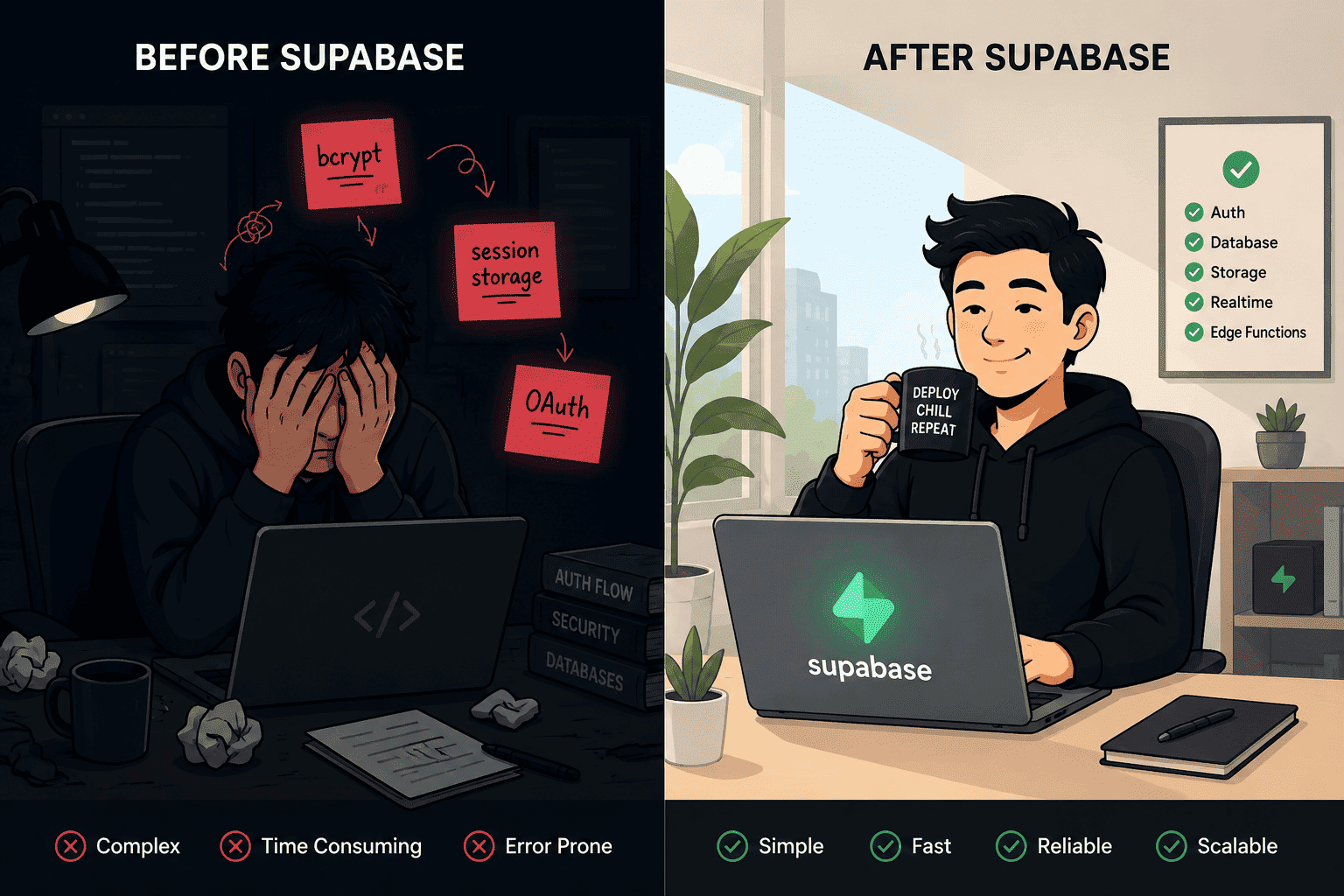
Let’s be real for a second. If there is one thing that absolutely kills the momentum of a new side project, it is building the authentication system.
You have a killer idea for an app. You spin up your Next.js frontend, you design a beautiful UI, and then you hit a brick wall: Users need to log in. Suddenly, instead of building the cool features of your app, you are tumbling down a rabbit hole of salting passwords, comparing bcrypt hashes, managing session cookies, configuring CORS headers, and praying you didn’t just introduce a massive security vulnerability.
Building custom authentication from scratch is a rite of passage, but in 2026, it is also a massive waste of time.
If you have been in the developer space recently, you have heard of Supabase - the open-source Firebase alternative. While their PostgreSQL database is phenomenal, their real superpower is how they handle authentication. In this series, we are going to tear down exactly how Supabase Auth works, starting from the high-level architecture today, and eventually diving into the gritty details of JSON Web Tokens (JWTs) and Row Level Security (RLS) in future posts.
Grab a coffee. Let’s look at how your database is about to become its own bouncer.
What is Supabase Auth? (The GoTrue Engine)
To understand Supabase Auth, you first need to understand that Supabase is not just one monolithic piece of software. It is a collection of incredible open-source tools stitched together perfectly.
Under the hood, Supabase Auth runs on a fork of an API called GoTrue (originally built by Netlify). GoTrue is an API written in Go(A programming language GoLang) that acts as an identity provider. It handles all the heavy lifting of user registration, password recovery, email verification, and issuing authentication tokens.
But here is where Supabase takes GoTrue and turns it into absolute magic: They wired it directly into PostgreSQL.
In a traditional full-stack Next.js app, your architecture usually looks like this:
Your Next.js app talks to a separate backend server (like Node/Express).
That Node server verifies the user's password.
The Node server issues a token.
The Node server talks to your database.
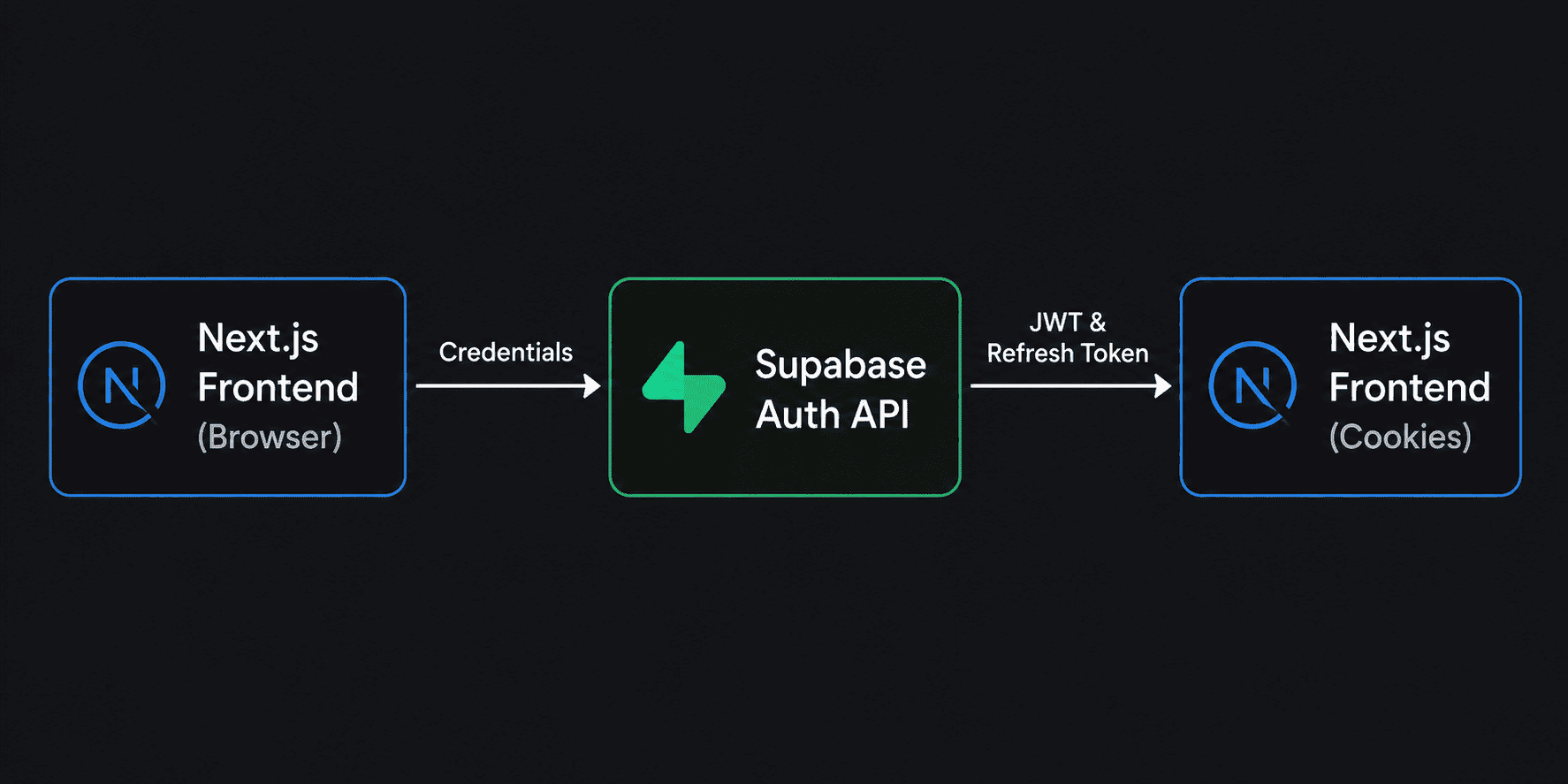
With Supabase, the middleman is completely eliminated. Your Next.js app talks directly to the Supabase GoTrue API, which issues a secure token. You then send that token directly to your PostgreSQL database, which is smart enough to read the token and restrict data access automatically.
The Login Flow: Step-by-Step
Let’s map out exactly what happens when a user clicks "Log In" on your Next.js frontend.
1.The Request: The user enters their email and password on your Next.js client component and hits submit.
2. The Handshake: The Supabase Client library takes those credentials and sends them to the GoTrue Auth API via a secure HTTPS request.
3.The Verification: GoTrue checks the email against the database. If it exists, it securely compares the password hash.
4.The Reward (Tokens): If the password matches, GoTrue generates two very important things:
An Access Token(JWT): A short-lived token (usually 1 hour) that proves the user is who they say they are.
A Refresh Token: A long-lived token used to silently grab a new Access Token when the old one expires, so the user doesn't have to keep logging in.
5.The Storage: The Next.js Supabase client automatically stores these tokens for you (typically in cookies when using Next.js App Router) so they persist across page reloads.
The Secret Sauce: The auth Schema
If you have ever built a database, you usually put all your tables in the public schema. When you create a Supabase project, you will notice a schema you can't easily edit called auth.
Inside this schema is a table called auth.users.
This is the vault. When a user signs up via Supabase, their email, encrypted password, and unique UUID are stored securely in auth.users.
Why is this a big deal?
Because this table is inaccessible to the public API. If someone tries to query your database for a list of passwords, they will hit a concrete wall. Your Next.js frontend can only communicate with the public schema.
When you want to store a user's profile picture or bio, you create a public.profiles table and link it to the auth.users table using a foreign key. It is the ultimate separation of concerns: Supabase guards the credentials in the shadows, and you build your application logic in the light.
Bringing it to Next.js (The Code)
Enough theory. Let’s look at how incredibly simple this is to implement in a modern Next.js (App Router) environment.
Because Next.js blends Server Components and Client Components, managing auth state used to be tricky. But in 2026, the @supabase/ssr package makes this a breeze by automatically syncing your auth state with browser cookies.
1. Setting up the Client
First, you create a utility file to initialize the Supabase client. This tells your Next.js app how to talk to your specific Supabase project.
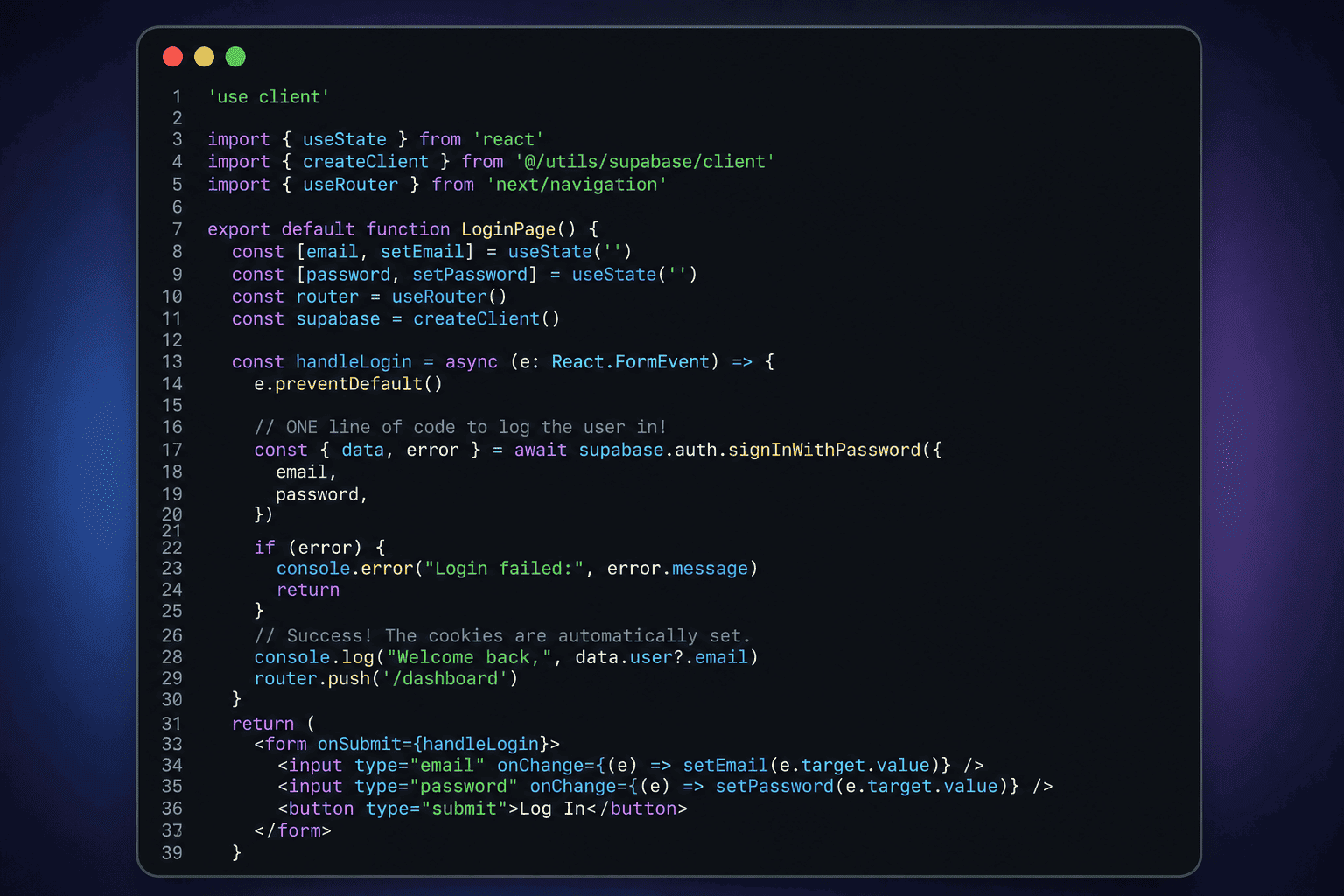
Now, let’s look at a basic Client Component for a login form. Notice how we don't have to write any API routes, fetch requests, or header configurations.
'use client'import{ useState }from'react'import{ createClient }from'@/utils/supabase/client'import{ useRouter }from'next/navigation'exportdefaultfunctionLoginPage(){const[email, setEmail]=useState('')const[password, setPassword]=useState('')const router =useRouter()const supabase =createClient()consthandleLogin=async(e:React.FormEvent)=>{ e.preventDefault()// ONE line of code to log the user in!const{ data, error }=await supabase.auth.signInWithPassword({ email, password,})if(error){console.error("Login failed:", error.message)return}// Success! The cookies are automatically set.console.log("Welcome back,", data.user?.email) router.push('/dashboard')}return(<form onSubmit={handleLogin}><input type="email" onChange={(e)=>setEmail(e.target.value)}/><input type="password" onChange={(e)=>setPassword(e.target.value)}/><button type="submit">LogIn</button></form>)}
That’s it. That one function signInWithPassword reaches out to the GoTrue API, verifies the credentials, grabs the JWT, and securely sets it in your browser cookies. What used to take 500 lines of Express.js backend code now takes one method call.
Why You Should Stop Rolling Your Own Auth
If you are still on the fence about handing over your auth to a platform like Supabase, consider the hidden costs of building it yourself:
When you are a beginner full-stack developer, your goal is to ship products, not to reinvent the wheel.
Deploying Your App: When you are ready to take this Next.js app live, you don't even need a complex architecture. Because Supabase handles the database and the backend auth API, your Next.js app is incredibly lightweight. You can easily deploy it on a budget-friendly Hostinger VPS or a managed cloud platform, keeping your hosting costs insanely low while letting Supabase do the heavy data lifting.
What's Next?
Right now, you understand the mechanics of how Supabase logs a user in. You know that Next.js talks to the GoTrue API, verifies the password against the hidden auth.users table, and hands your browser a JWT.
But having a logged-in user is only half the battle.
If your frontend sends a request to your database for data, how does the database know who is making the request? More importantly, how do you prevent User A from maliciously querying the database to see User B's private data?
If there is no backend Node server sitting in the middle checking permissions, isn't it dangerous to let the frontend talk directly to the database?
That is exactly what we are covering in Part 2 of the Supabase Auth Series. We are going to rip open a JWT to see exactly what is inside it, and we will introduce you to Row Level Security (RLS) the PostgreSQL feature that makes Supabase the most secure (BaaS) backend-as-a-service on the market.